
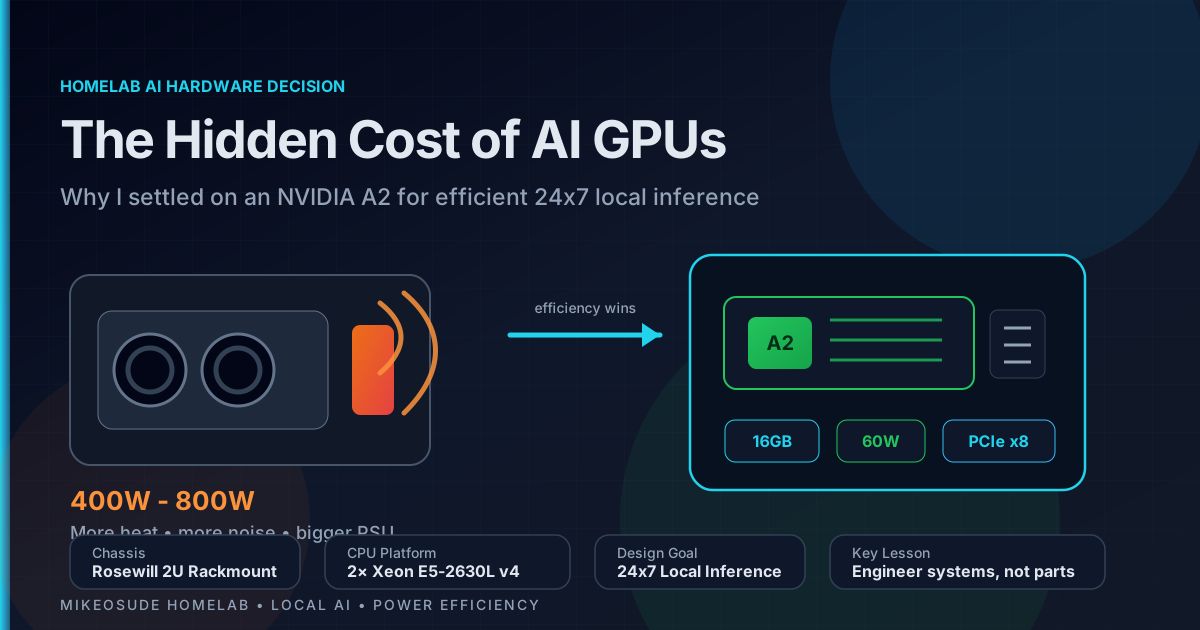
When most people start building a local AI server, they begin by shopping for a GPU.
I started by shopping for a chassis.
That may sound backwards, but it turned out to be one of the most important decisions in the entire project.
My goal wasn’t to build the fastest AI system possible.
My goal was to build an AI platform that could remain online 24 hours a day, 7 days a week, inside a rack that already contained networking equipment, storage systems, Kubernetes clusters, monitoring infrastructure, and the countless other projects that make up a modern homelab.
That meant:
- Power mattered.
- Heat mattered.
- Noise mattered.
- PCIe connectivity mattered.
- Rack space mattered.
- Long-term operating costs mattered.
By the time the project was complete, I had gone from evaluating gaming GPUs and datacenter accelerators to settling on a used NVIDIA A2.
Not because it was the fastest option.
Because it was the right option.
The VRAM Trap #
Like many people entering the local AI space, I initially focused on VRAM and the logic seemed simple.
More VRAM means:
- Larger models
- Larger context windows
- Better performance
- More flexibility
Initially, I considered GPUs with 8GB of VRAM and for many AI workloads, 8GB is enough to get started. Smaller models run comfortably, and for experimentation it can be a very cost-effective entry point. My planned architecture, however, was not a traditional standalone AI deployment, the long-term goal was to build a hybrid AI platform. In this design, a local model handles the majority of requests, documentation lookups, automation tasks, troubleshooting assistance, and day-to-day interactions. When a request exceeds the capabilities of the local model, it can be forwarded to an upstream provider such as Anthropic or OpenAI.
This approach provides several advantages:
- Faster responses for common tasks
- Reduced token consumption
- Lower operating costs
- Better privacy for local data
- Continued access to larger models when needed
Because of that architecture, I could have settled for an 8GB card and still achieved much of what I wanted but the more I thought about it, however, the more I realized this was intended to be a long-term project. I didn’t want VRAM to become the bottleneck six months after deployment and the AI landscape is moving incredibly fast. Models continue to become more capable, context windows continue to grow, and memory requirements continue to increase.
Buying hardware solely for today’s requirements felt short-sighted. Instead, I decided that 16GB of VRAM would be my minimum target. That amount of memory provides significantly more flexibility while still remaining affordable in the used market. It allows me to run a wider variety of models locally, supports larger context windows, and gives the platform room to grow as my use cases evolve. Once I established 16GB as the minimum requirement, the list of candidate GPUs became much smaller, and the comparison process became much more focused.
The deeper I went, however, the more I realized that VRAM is only one specification among many. A GPU is not an isolated component, it exists within a system and that system has limits. The more I analyzed my requirements, the more I realized I wasn’t buying a GPU, I was designing an AI platform.
The AI Project Hardware #
Unlike most of my previous homelab projects, every component in this build was selected specifically for AI inference. Historically, most of my servers have been built in 1U chassis, for this project, I intentionally moved to a 2U design.
The reason was simple:
AI hardware changes the requirements.
The chassis ultimately selected was the Rosewill 2U Rackmount Server Chassis, largely because it explicitly supports horizontal full-size GPUs.
That immediately provided more flexibility than many traditional 1U server designs.
The complete platform consists of:
| Component | Selection |
|---|---|
| Chassis | Rosewill 2U Rackmount Server Chassis |
| Motherboard | Supermicro X10DRL-I |
| CPU | 2 × Intel Xeon E5-2630L v4 |
| CPU TDP | 55W each |
| Total Cores | 20 Physical / 40 Threads |
| Memory | 128GB ECC DDR4 |
| Storage | Samsung 970 EVO 1TB NVMe |
| Networking | Intel X710 10GbE |
| Power Supply | Corsair RM750e |
| AI Accelerator | NVIDIA A2 16GB |
| Cooling | Custom rack cooling system (Article Here) |
The CPUs deserve special mention.
I specifically chose the Xeon E5-2630L v4 processors because of their low 55W TDP. Many homelab builders chase CPU frequency, I chased efficiency.
This server was designed from the beginning to provide enough compute power while minimizing heat generation and long-term electrical costs.
Heat Is the Enemy #
One factor that significantly influenced every hardware decision was heat. Over the years I have learned that heat is one of the most persistent challenges in rack-mounted homelabs. Every watt consumed eventually becomes heat and every watt of heat must be removed.
As my rack grew, cooling became increasingly important, in fact, I eventually built a custom rack cooling solution specifically to manage the thermal load generated by the equipment in the rack.
That project has its own article here.
What matters here is that I already understood the cost of heat. I wasn’t interested in adding a component that would undo years of work optimizing airflow and cooling. This became one of the strongest arguments against larger GPUs.
The PCIe Reality Check #
Most AI hardware discussions assume you have unlimited PCIe resources. Real servers don’t work that way.
Before selecting a GPU, I mapped every available PCIe slot on the motherboard.
| Slot | Domain | Connector | Electrical | Gen | Max Bandwidth | Status | Device |
|---|---|---|---|---|---|---|---|
| PCH SLOT1 | PCH | x8 Physical | x4 | Gen2 | ~2.0 GB/s | In Use | Samsung 970 EVO |
| CPU1 SLOT2 | CPU1 | x8 Physical | x8 | Gen3 | ~7.9 GB/s | Free | — |
| CPU1 SLOT3 | CPU1 | x8 Physical | x8 | Gen3 | ~7.9 GB/s | Free | — |
| CPU2 SLOT4 | CPU2 | x8 Physical | x4 | Gen3 | ~3.9 GB/s | Free | — |
| CPU1 SLOT5 | CPU1 | x16 Physical | x16 | Gen3 | ~15.8 GB/s | In Use | Intel X710 10GbE |
| CPU1 SLOT6 | CPU1 | x8 Physical | x8 | Gen3 | ~7.9 GB/s | Free | — |
At first glance, it appears there are several available slots.
The reality is more complicated.
My Intel X710 10GbE adapter occupies the primary x16 slot through a bifurcated riser card, that same riser card also hosts my Samsung 970 EVO NVMe SSD. The setup works perfectly, but it means my most valuable PCIe slot is already occupied.
The remaining slots are physically x8, even more importantly, they are closed-ended. While some GPUs can operate electrically at x8, many physically x16 cards cannot be inserted without modifying the slot. Suddenly PCIe connectivity became a major design constraint.
Looking Beyond the Purchase Price #
Once PCIe limitations, cooling requirements, and power consumption were considered, the list of candidates became much smaller.
These were the primary cards I evaluated.
| GPU | VRAM | Power Draw | PCIe Interface | External Power | Slot Size | Used Price |
|---|---|---|---|---|---|---|
| NVIDIA A2 | 16GB | 60W | PCIe Gen4 x8 | No | Single Slot | $400-$600 |
| RTX 4060 Ti 16GB | 16GB | 165W | PCIe Gen4 x8 | Yes | Dual Slot | $400-$500 |
| Tesla P100 | 16GB | 250W | PCIe Gen3 x16 | No* | Dual Slot | $350-$550 |
| Tesla V100 | 16GB | 250W | PCIe Gen3 x16 | No* | Dual Slot | $550-$750 |
At first glance they all looked attractive.
- All offered 16GB of memory.
- All were capable of running modern LLMs.
- All fit within roughly the same budget.
The differences appeared elsewhere.
The Homelab Tax #
The AI community often talks about purchase price.
Homelab operators pay additional taxes:
- The first tax is electricity.
- The second tax is heat.
- The third tax is noise.
- The fourth tax is rack space.
- And sometimes the fifth tax is explaining why the rack suddenly sounds like a small datacenter.
These costs never appear in benchmark charts, but they become very real after deployment.
Measuring Efficiency Instead of Performance #
Eventually I stopped asking:
Which GPU is fastest?
And started asking:
Which GPU gives me the most capability per watt?
| GPU | VRAM | Power Draw | VRAM per Watt |
|---|---|---|---|
| NVIDIA A2 | 16GB | 60W | 0.27 GB/W |
| RTX 4060 Ti 16GB | 16GB | 165W | 0.10 GB/W |
| Tesla P100 | 16GB | 250W | 0.06 GB/W |
| Tesla V100 | 16GB | 250W | 0.06 GB/W |
This was the moment everything changed. The NVIDIA A2 wasn’t winning benchmark competitions, it was winning the efficiency competition by a massive margin and for a system intended to operate continuously, efficiency mattered more than benchmark numbers.
The Power Supply Problem #
Another issue that rarely gets discussed is power delivery. Many enterprise servers were never designed to host modern AI accelerators.
A GPU that consumes 250W to 450W frequently requires:
- Additional power connectors
- Dedicated GPU cables
- PSU upgrades
- Custom wiring
Many homelab builders discover this after purchasing the GPU.
The NVIDIA A2 avoids the problem entirely.
The card is powered directly from the PCIe slot.
- No 8-pin connectors.
- No 12VHPWR adapters.
- No PSU modifications.
- No surprises.
Install the card, load the drivers, start running models (Install, Load, Run).
That simplicity matters.
Why the PCIe x8 Interface Was a Huge Advantage #
One specification that initially looked like a compromise turned out to be a major benefit.
The NVIDIA A2 uses a PCIe Gen4 x8 interface. Many larger AI accelerators rely on full x16 connectivity, for my environment, x8 was actually ideal. The A2 could fully utilize the available slot resources without forcing me to redesign the server, and because the card was designed around x8 operation, I wasn’t sacrificing performance simply to make it fit. This is a perfect example of why understanding your infrastructure matters more than blindly chasing specifications.
What Models Can It Run? #
The obvious question is:
Is 16GB enough?
For my use case, absolutely.
The A2 should comfortably support:
- Llama 3 8B
- Mistral 7B
- Qwen models
- Gemma models
- Phi models
- DeepSeek distilled models
- Embedding models
- RAG workloads
- Coding assistants
My objective:
- Not to run the largest model on the planet.
- Run useful models locally and efficiently.
For that purpose, 16GB is a very practical amount of memory.
Engineering Systems, Not Components #
One of the biggest mistakes people make when building homelabs is selecting hardware in isolation.
- A GPU is not a system.
- A CPU is not a system.
- A motherboard is not a system.
Every component exists within a set of constraints. For this project those constraints included:
- Rack space
- Existing cooling capacity
- Available PCIe lanes
- Physical slot dimensions
- Power delivery
- Long-term operating costs
- Noise levels
- Future expansion
Having the budget to buy hardware is only part of the equation. Understanding the infrastructure that hardware will live in is equally important, the NVIDIA A2 was not chosen because it had the highest benchmark scores, it was chosen because it fit the system, and in engineering, the solution that fits the system is often the right solution.
Final Thoughts #
The NVIDIA A2 is not the most powerful AI accelerator available.
It is not the fastest, it is not the most impressive on paper.
What it is, however, is practical.
It provides enough VRAM to run useful local models, it consumes a fraction of the power of larger alternatives, it fits comfortably into a rack-mounted homelab, it works within the constraints of my existing PCIe layout, and it aligns with the low-power philosophy that influenced every component in the build, from the chassis all the way down to the CPUs.
The lesson I learned from this project is simple:
- Building an AI platform is not about buying the biggest GPU.
- It is about understanding your infrastructure and selecting components that work together.
- Having the funds to buy hardware is important.
- Knowing your infrastructure and designing systems that can operate efficiently for years is even more important.
For me, that is why the NVIDIA A2 WON!.